
🎯 Game Features
📱 Screenshots
Swipe to explore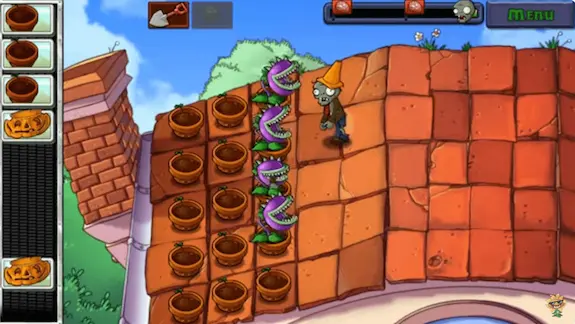
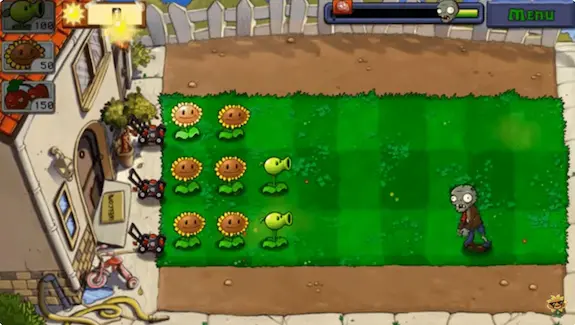
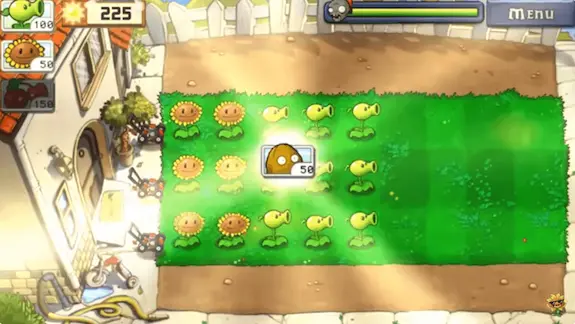
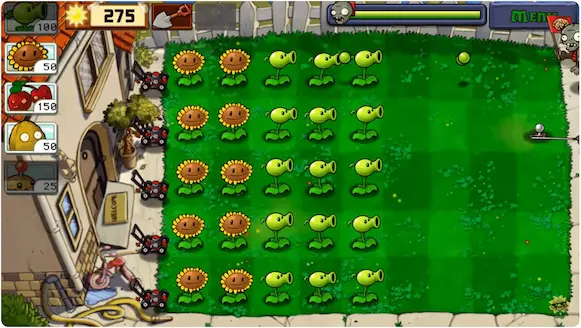
ℹ️ Game Information
Developer
Category
Games › Casual
Requirements
Android 5.0 and up
File Size
411.6 MB
What is PvZ Fusion?
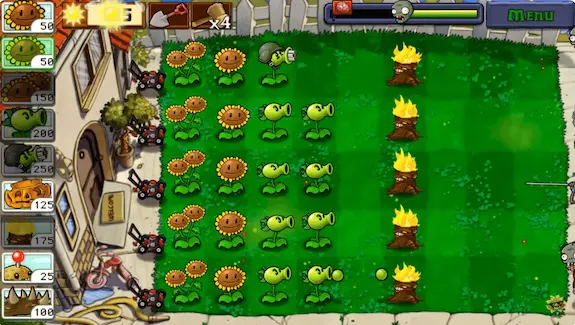
PvZ Fusion brings a fresh twist to the classic Plants vs Zombies experience. This fan-made mod lets you combine two different plants to create powerful hybrids with unique abilities. Imagine merging a Peashooter with a Torchwood - you get a plant that shoots flaming peas automatically.
The mod has gained massive popularity because it adds hundreds of new plant combinations that the original game never offered. You can experiment with different fusions to discover which combinations work best against the tougher zombie waves.
What makes this version special is the mod menu that gives you unlimited sun, removes cooldown timers, and unlocks god mode for those challenging levels. Whether you are a casual player or a hardcore PvZ fan, these features make the gameplay more enjoyable without grinding for hours.
Why Choose PvZFusion.web.app?
Latest Versions First We upload new versions within hours of release. When version 3.3.1 dropped, our servers had it ready before most other sites even knew about the update. You never have to wait days for the newest features and bug fixes.
Fast Download Servers No more waiting 10 minutes for a 500 MB file. Our servers are optimized for speed, so your download completes in minutes, not hours. We also provide direct download links without annoying ad redirects or URL shorteners.
Clean Files Guaranteed Every APK we host goes through verification. You get the exact mod file without any additional malware or unwanted apps bundled in. Your device stays safe while you enjoy the game.
All Platforms Covered Android phone? Windows PC? iOS device? We have working download files for each platform with proper installation guides. One site for all your PvZ Fusion needs.
PvZ Fusion 3.3.1 - What's New
The latest 3.3.1 update brings several improvements that players have been requesting:
The developers fixed the crash issue that happened when fusing certain plant combinations. Snow Pea and Fire Peashooter fusion now works smoothly without freezing your game mid-battle.
New zombie types have been added to Adventure Mode. These enemies require smarter plant placement and better fusion strategies to defeat. The difficulty curve feels more balanced now.
Performance optimization means the game runs better on older Android devices. If you experienced lag on version 3.2, this update should fix most of those problems.
The English translation has been improved throughout the menus and plant descriptions. Playing in English finally feels natural instead of reading awkward translations.
Mod Menu Features Included
Unlimited Sun Start every level with maximum sun. Plant your strongest fusions right from the beginning without waiting to collect sun from Sunflowers. This feature alone changes how you approach each level.
God Mode Your plants become invincible. Zombies cannot eat them no matter how many attack at once. Perfect for experimenting with different fusion combinations without worrying about losing.
No Cooldown Plant as fast as you can tap. The normal waiting time between placing plants disappears completely. Spam your favorite fusions across the entire lawn in seconds.
Speed Control Play at 2x, 3x, or even 5x speed. Rush through easier levels quickly or slow things down during boss fights. You control the pace.
All Plants Unlocked Access every plant in the game from the start. No need to progress through dozens of levels just to unlock that one plant you want to fuse.
How to Install on Android
Installing PvZ Fusion APK takes just a few steps. First, download the APK file from the button above. Once downloaded, open your file manager and locate the APK in your Downloads folder.
Before installing, go to Settings and enable "Install from Unknown Sources" for your browser or file manager. This allows your phone to install apps from outside the Play Store.
Tap the APK file and press Install when prompted. Wait for the installation to complete. The game icon will appear on your home screen or app drawer.
Launch the game and enjoy. The mod menu can be accessed from the pause screen during gameplay.
How to Install on PC
Download the ZIP file from our PC download section. Extract the contents using WinRAR or 7-Zip to any folder on your computer.
Open the extracted folder and double-click the game executable file. No installation wizard needed - the game runs directly.
If Windows shows a security warning, click "More Info" and then "Run Anyway." This happens because the file is not digitally signed, but our files are verified safe.
Popular Plant Fusions to Try
Pea-nut (Peashooter + Wall-nut) This fusion gives you offense and defense in one plant. It shoots peas while having the health of a Wall-nut. Place these in your front lines for balanced protection.
Ice Shroom (Snow Pea + Doom-shroom) Creates a freezing explosion that affects the entire screen. Zombies freeze and take massive damage simultaneously. Save this for emergency situations.
Gatling Torch (Gatling Pea + Torchwood) Four streams of fire peas without needing two plant spaces. The damage output melts through even Gargantuar zombies quickly.
Tall-nut Vine (Tall-nut + Pumpkin) Double-layered defense that takes forever for zombies to chew through. Your back line plants stay protected for the entire level.
Cherry Bomb Flower (Cherry Bomb + Sunflower) Explodes like a Cherry Bomb but also produces sun before detonating. Get value and destruction from the same tile.
Frequently Asked Questions
Is PvZ Fusion safe to download? Yes, the files we provide are verified and free from malware. However, always download from trusted sources only. We recommend scanning any APK with your antivirus before installing.
Will PvZ Fusion work on my phone? The game requires Android 5.0 or higher with at least 1 GB of RAM. Most phones released after 2018 should run it smoothly. Older devices may experience some lag during intense zombie waves.
Can I play PvZ Fusion offline? Absolutely. Once installed, the game works completely offline. No internet connection needed for any features including the mod menu.
Is my game progress saved? Yes, your progress saves locally on your device. If you uninstall the game, your save data will be lost unless you backup the game data folder.
How do I update to newer versions? Simply download the new APK and install it over your existing game. Your save data typically carries over, though major version updates may reset progress occasionally.
Does the mod menu work in all game modes? The mod features work in Adventure Mode, Mini-games, and Puzzle Mode. Some features may be limited in certain challenge modes designed to test specific skills.
Can I get banned for using mods? PvZ Fusion is a standalone mod, not connected to EA's servers. There is no online multiplayer or account system, so there is nothing to get banned from.